

Simple and sleek
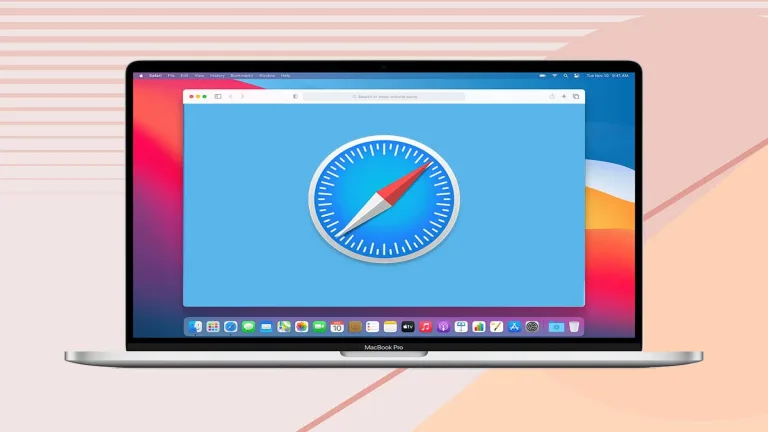
Safari is a web browser that is known for its simplistic and minimalistic interface. Users of Safari can enjoy fast and uninterrupted internet browsing, making it a suitable competition to other popular browsers like Mozilla Firefox and Google Chrome.
Enjoy secured web surfing
Safari is very protective of its users and therefore does take extra measures to ensure that browsing sessions are safe and secured. It is equipped with one of the best security features in the market that can prevent harmful and malicious software that can invade your computer. Additionally, Safari can protect you from phishing websites that put all your personal information at risk like usernames and passwords. Any malware or suspicious websites can be detected by Safari immediately, preventing them from doing any damage to your computer or for your information to be stolen before any attempts are even made. Private browsing is also allowed in Safari. Similar to Google Chrome, Safari enables users to enter an incognito mode by selecting private browsing and opening another window. Unlike the usual bright browser interface, entering private browsing will bring you to a darker, grey-ish version of Safari. Private browsing is used if users want to prevent their visited websites to be tracked. Any site that you will access while in the private browsing mode will not be seen in your browsing history list. This goes the same for any information you will be using and entering. The browser will not be able to remember your usernames or passwords, preventing them from being generated automatically when you visit the same website on Safari’s default mode.
Speedy and flexible
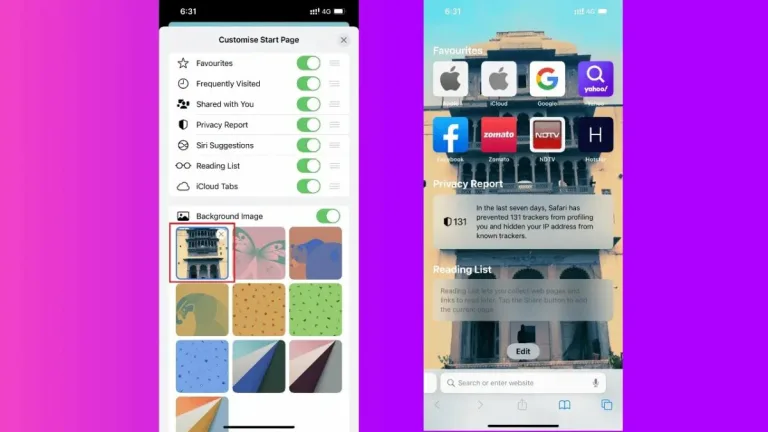
While Safari was originally made to cater to Apple products like iPhones and MacBooks, the browser can also access other web apps that are made by other companies. There are also no problems to encounter when it comes to loading these web apps. In fact, Safari is praised for being able to load web pages faster than most. It also allows for a more convenient web browsing experience as it is able to keep your most frequented sites in its main loading page. This means that when you open the browser or a new tab, you will be able to see your most visited sites on display. They are just a click away and there is no need for you to type in the website’s name on the search bar again.
Enjoy seamless internet browsing
Safari performs competitively with the other top browsers out there with its above-average browsing speed. The interface is distinctly Apple but it does not limit its users to certain features that can only be accessed by platforms made under the same company. It is fast, flexible, and really easy to use with its neat and tidy design.
We also recommend you to read:



























User reviews about Safari
by Arty ITTol
I can't say anything about Safari 8.0.6, because this download provides Safari5.1.7LionManual.dmg. You must review what do you link to download.
by Anonymous
Good and fast, but can stall if asked to do too much.
A pretty good, fast web browser, esp. under certain circumstances, on certain versions of MacOS and on certain machines. On Snow Leopard, Safari's cache (where it stores images and other files, to quickly be able to reload pages it has already visited) would balloon into many, many GB — whether you were using the software or had quit out of it — until you manually emptied the cache, or were forced (by Safari's slowing the whole machine down to a crawl) to reboot the machine. Also, if you had too many pages open, the software would get extremely finicky, exhibiting the spinning beach ball of death for minutes at a time, and sometimes outright crashing the system. On Lion the whole experience of Safari seemed faster, but the cache issue remained. I used it as my main browser for 4 months on a Mtn Lion machine, and although I didn't see issues with page counts (possibly because I had 16GB of memory instead of 8), I noticed that certain pages, PDF file pages in particular, were prone to making Safari forget all of the pages it had loaded, and asking the user if s/he wished to reload all pages. Pesky.I have used it for about a week now with Mavericks (Mac OSX 10.9) and so far have not encountered any issues — but I also have not taxed the software too much. I remain hopeful.
Pros:
Startup speed (fast)
Page loading speed
Stability, esp. with light use
Unlike Firefox, doesn't perform lengthy system check at startup for extension compatibility
Better tab stacking solution for multiple pages than Chrome or Firefox
Intuitive to use, esp. vs. Chrome (version 30-33 at least)
Cons:
Ability to either not crash the software if too many pages are loaded, or warn the user before too many pages are loaded.
More specificity of where to place bookmarks, esp. when dragging the favicon to a bookmarks bar folder
An even more improved tab stacking solution when you have a great deal of pages open More
by Anonymous
Too slow, does not respond, such as send emails, open pages, not reliable..
Awful slow, does not always send emails or change pages on web, not reliable and not timely, need a better browser. More